The biggest risk in a scaffold drawing revision is not necessarily making the change incorrectly. It is allowing different versions of the design to remain in use at the same time.
A revised CAD file may be technically correct, but if an older PDF is still being used by another party, the project no longer has one consistent design basis.
Scaffold drawings rarely remain completely unchanged from the first draft to final construction. Building information may be updated, site conditions may be clarified, scaffold components or manufacturers may change, or a client may provide newer CAD data after an older PDF has already been used for design.
The technical change itself is only part of the problem. The greater risk is losing control of which information is current.
Key idea: Revision control is not simply about editing a CAD file. It is about maintaining one clearly identifiable, current and coordinated set of design information.
Having worked in scaffold and temporary works design since 1998, I have learned that managing changes requires more than correcting lines on a drawing. A revision must be considered across the drawings and supporting information affected by the change.
1. Why Scaffold Drawings Change
Revisions are a normal part of scaffold design.
A drawing may need to change because of:
- updated architectural or structural information;
- revised building dimensions;
- newly identified site constraints;
- changes to access requirements;
- changes to scaffold configuration;
- changes to loading conditions;
- revised tie or bracing requirements;
- changes to the scaffold system or manufacturer;
- coordination with other trades;
- updated information from the client or contractor.
The important question is therefore not:
“Can revisions be avoided?”
It is:
“Can revisions be controlled so that everyone is working from the correct information?”
A technically correct revision can still create problems if the wrong version reaches the people who need it.
2. The Real Risk: Different Versions of the Same Project
One of the most difficult situations occurs when different source documents appear to describe the same project but do not actually contain the same information.
First-Hand Experience: When the PDF and CAD Did Not Match
I have encountered situations where a PDF drawing and the CAD data supplied for the same project were significantly different.
The CAD drawing had been improved and updated from the earlier PDF. However, the person requesting the work was not aware of the difference.
As a result, it was possible to design from information that no longer represented the actual current condition.
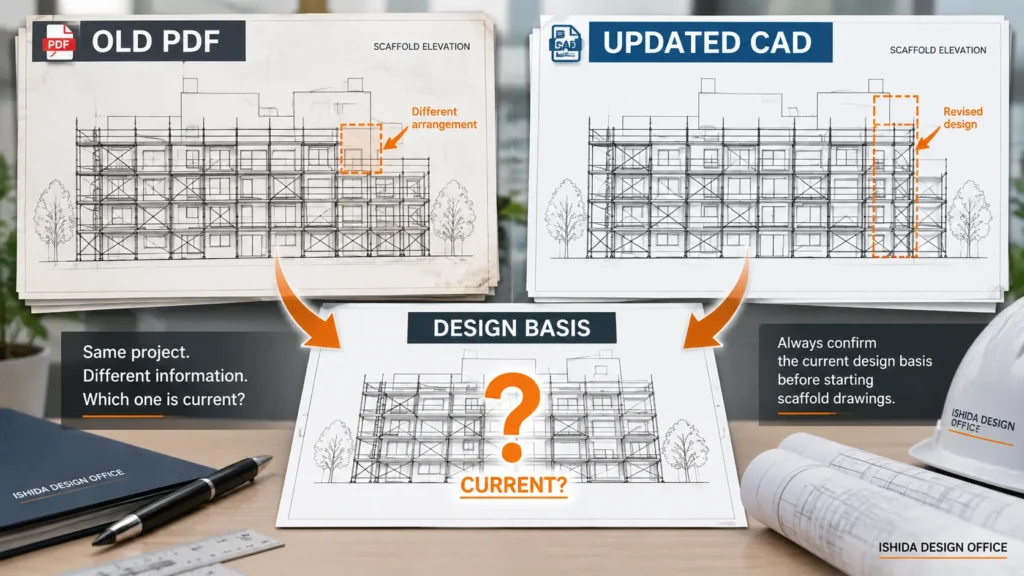
DO NOT ASSUME: Two files should not be treated as the same design simply because they carry the same project name or appear to represent the same building.
The content itself must be checked.
File format is not an indication of which information is correct. A CAD file is not automatically more reliable than a PDF, and a recently received file is not automatically the approved current version.
The revision status must be established.
3. Confirm the Source Information Before Revising
Revision control starts before the scaffold drawing itself is revised.
When several source documents are available, designers should first determine:
- which document is current;
- when each document was issued;
- whether the documents contain different dimensions or layouts;
- whether a design change has occurred;
- whether the change has been formally communicated;
- which information should be used as the design basis.
This becomes particularly important on older projects.
4. A Clean CAD Drawing Does Not Guarantee Correct Information
Converting an old drawing into CAD improves presentation. It does not automatically improve the accuracy of the original information.
If an inaccurate or incomplete hand drawing is converted into CAD, the result may simply be a cleaner version of uncertain information.
Drawing quality and information quality are different things.
A drawing can be clearly presented, dimensioned neatly, professionally formatted and easy to read, while still being based on outdated information.
When Old Hand Drawings Become Multiple CAD Versions
In some projects, the original information may exist only as hand-drawn drawings. Different trades may later create their own CAD versions from those drawings.
Those independently produced CAD drawings may look professional and accurate, but their details can differ.
Over time, several apparently authoritative versions of the same information can exist.
The danger is not necessarily that one person made an obvious mistake. The danger is that each person may believe that their version is correct.
5. A Design Change Can Exist Before Everyone Knows About It
Another revision problem I have encountered is a design change that had already occurred but had not reached everyone involved.
A contractor continued designing from an older drawing because they had not been informed of the change. The work then had to be revised.
This is why revision control is not only a CAD issue. It is also an information management issue.
Updating the master drawing does not solve the problem if an old PDF remains in circulation. Similarly, placing a new drawing in a project folder does not guarantee that everyone knows that the previous drawing is obsolete.
A successful revision process therefore needs to answer two questions:
- What changed?
- Who needs to know that it changed?
Before issuing the revised drawing, confirm the drawing number and revision identifier, identify the recipients who need the change, and make clear which earlier issue is superseded. Where the project uses a formal document-control process, follow that process rather than relying on the file name or a message alone.
6. Give Every Revision a Clear Identity
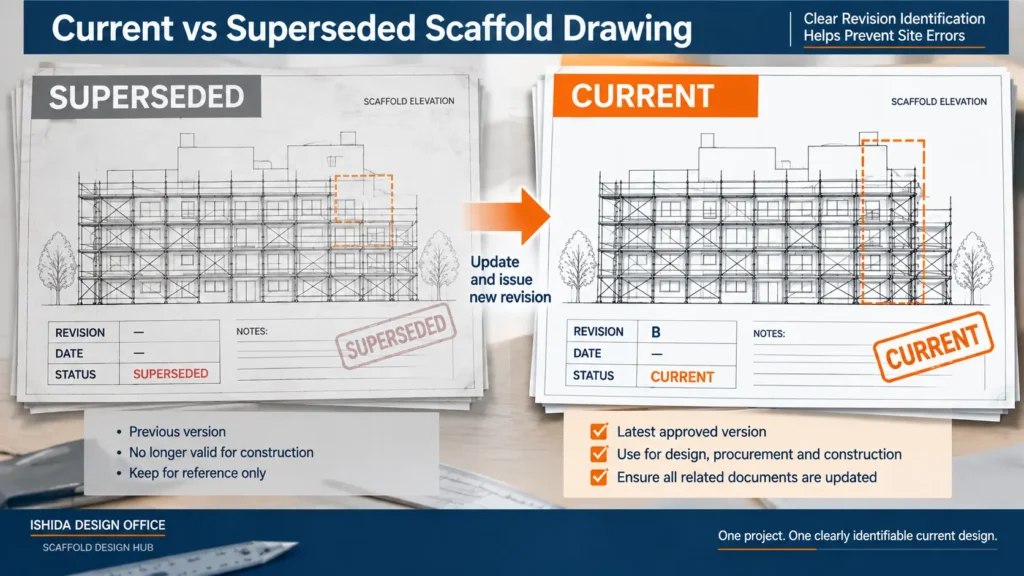
A revised drawing should be distinguishable from the previous version.
Depending on the project documentation system, this may include information such as:
- drawing number;
- revision number or revision letter;
- revision date;
- description of the change;
- issue date;
- revision status;
- person responsible for preparing or checking the revision, where required.
The exact system varies between organizations and projects.
What matters is that the revision history is clear enough for users to identify the current drawing and understand that an earlier version has been superseded.
In my own work, I consider accurate recording of when a change was made and what was changed particularly important.
Dates—and where necessary times—can become valuable when several versions are exchanged during a short period.
Without that history, determining which drawing came first and which information should control the design becomes unnecessarily difficult.
7. A Small-Looking Change Can Have a Large Impact
One of the most misleading assumptions in scaffold drawing revision is that a visually small change will require only a small amount of work.
That is not always true.
First-Hand Experience: When the Scaffold Manufacturer Changes
For example, I have experienced projects where the manufacturer of the scaffold components was changed after the design process had begun.
At first glance, the overall scaffold arrangement could remain broadly similar.
However, component names, product references, individual parts and other system-specific information may differ depending on the scaffold system and manufacturer documentation.
Details based on the previous system therefore cannot simply be assumed to remain applicable.
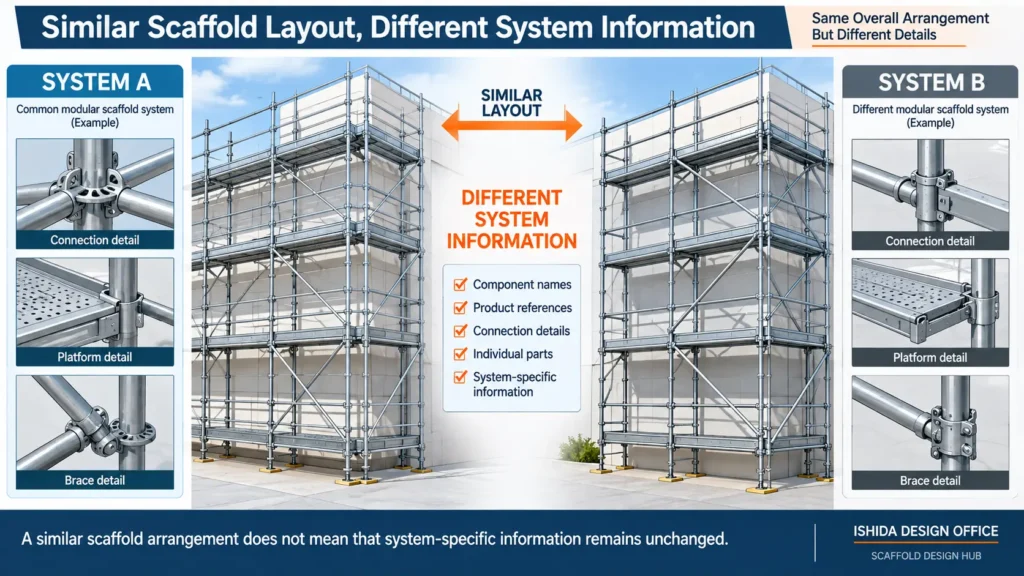
REVISION CHECK: Do not judge the size of a revision only by how much the scaffold shape changes on the drawing. The real impact depends on what information the change affects.
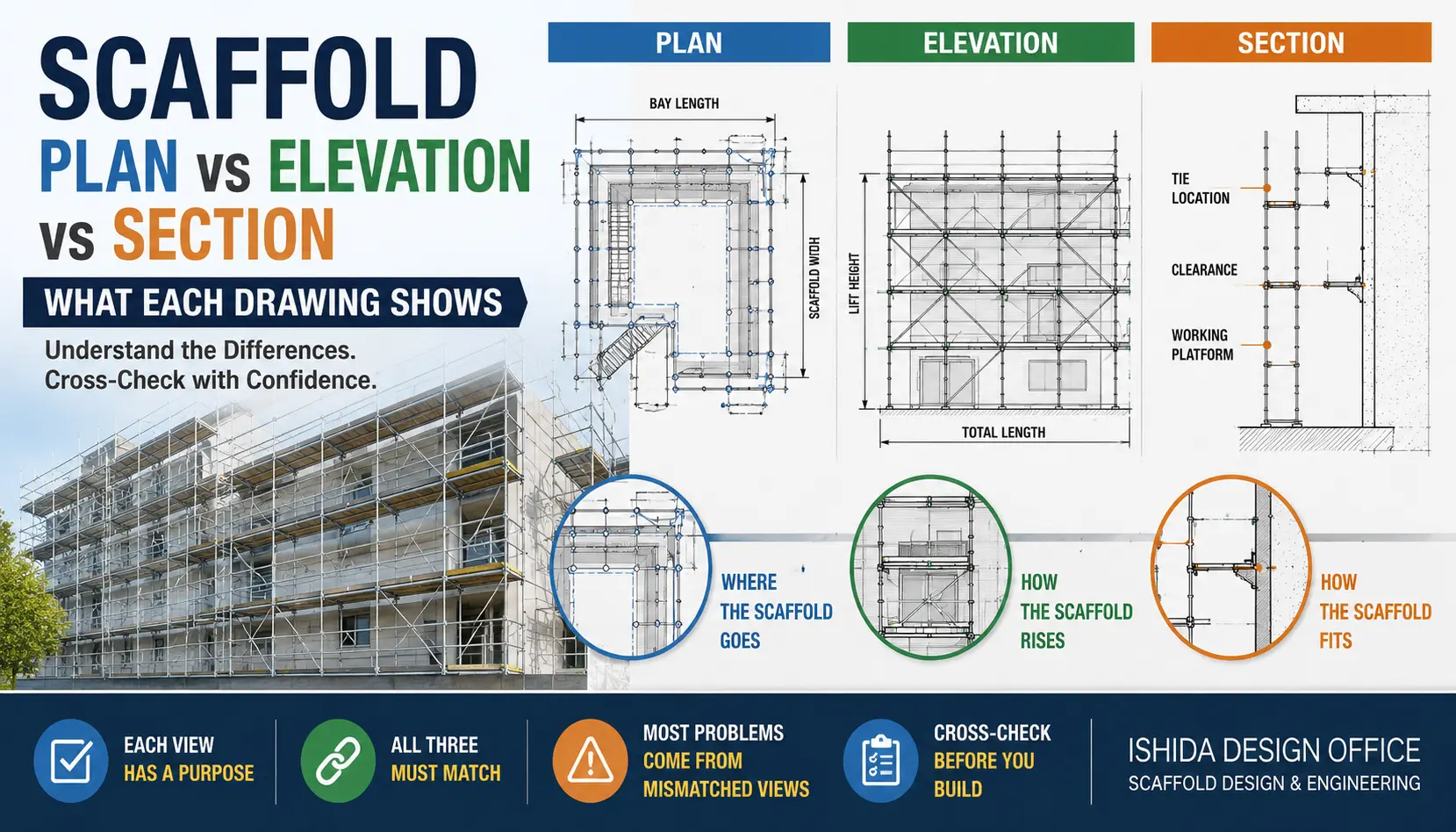
8. Check Changes Across Plan, Elevation and Section
A scaffold is a three-dimensional temporary structure.
A revision made in one drawing view may therefore affect another.
After revising scaffold drawings, I place particular importance on checking consistency between:
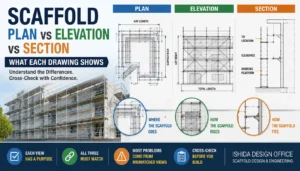
Plan → Elevation → Section
For example, if a scaffold position changes in plan, the corresponding elevation may need to change.
If a platform level or special arrangement changes in elevation, the section may also need revision.
If a detail changes the relationship between the scaffold and the building, more than one drawing may be affected.
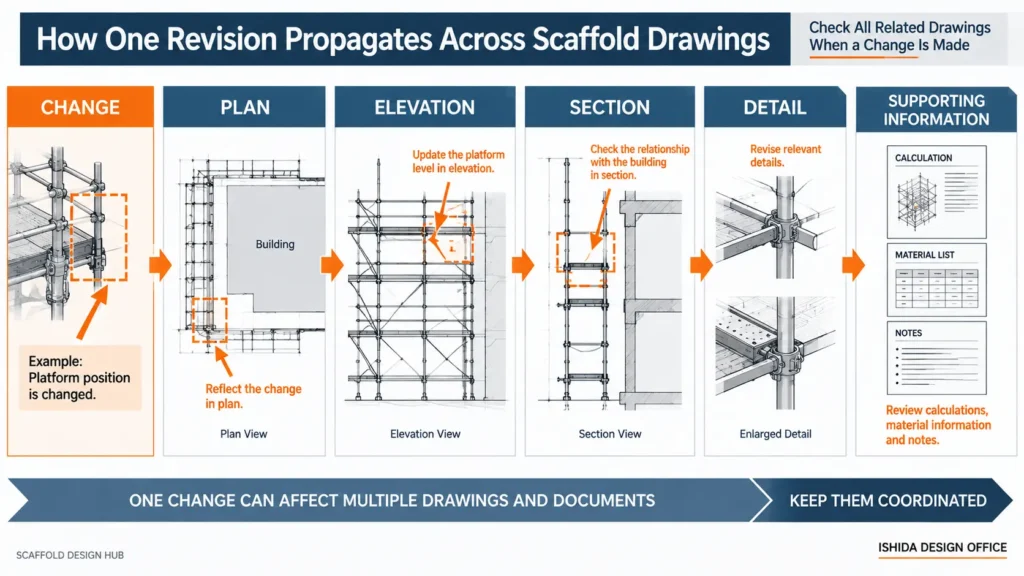
The drawings should therefore not be reviewed as isolated sheets. They should be treated as different views of the same scaffold.
For a more detailed explanation of how the three views work together, see Scaffold Plan vs Elevation vs Section: What Each Drawing Shows.
9. Review Special and Highly Loaded Areas Carefully
Not every revision carries the same level of consequence.
Standard repetitive areas may be relatively straightforward to compare. Special configurations require greater care.
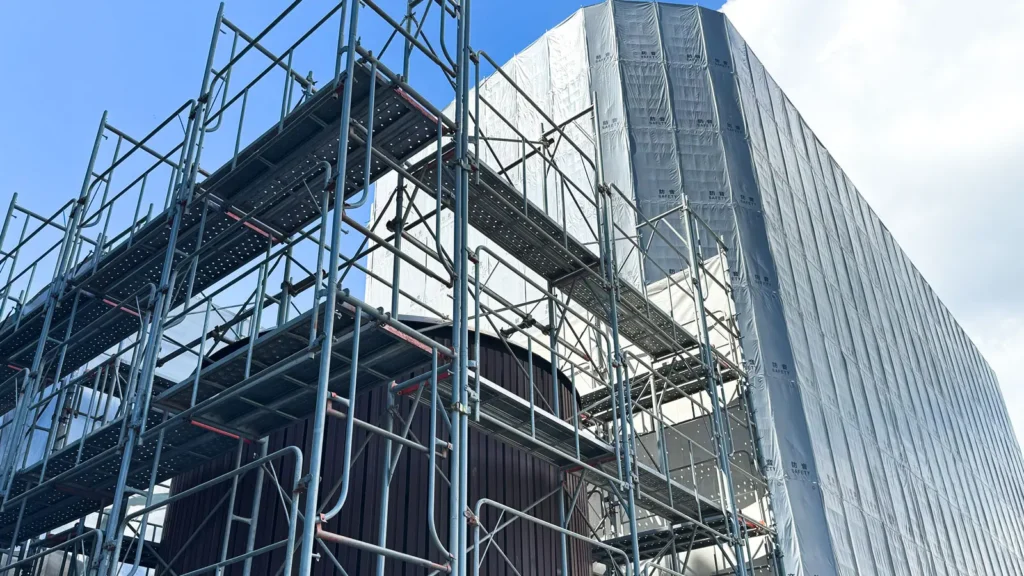
When a revised area involves unusual arrangements or significant loads, I consider consistency checking particularly important.
The designer should consider whether the change affects:
- the scaffold arrangement;
- the intended load path;
- support conditions;
- working platforms;
- ties or bracing;
- special details;
- relevant calculations.
This does not mean every drawing revision automatically requires a completely new structural analysis.
It means that the effect of the revision must be considered before assuming that the previous design remains applicable.
10. Keep Drawings and Supporting Engineering Information Aligned
One of the most important revision checks is the relationship between the drawing and the engineering information behind it.
A problem can develop when:
- the drawing has been revised but the calculation has not;
- the calculation uses a configuration that is no longer shown;
- component information has changed without the supporting documents being reviewed;
- loading assumptions no longer match the revised scaffold.
The drawing and the calculation should describe the same design condition where the revision affects assumptions, configuration, loading, supports or other design-critical information.
A revision should therefore trigger the question:
Does this change affect any assumption or configuration used elsewhere in the design documentation?
If the answer may be yes, the relevant documents should be reviewed.
11. Revision Clouds Are Useful—but They Are Not Revision Control
Revision clouds and change marks can be useful because they help readers locate modifications quickly.
But they are not revision control by themselves.
A drawing can have perfectly placed revision clouds while an obsolete version remains in use elsewhere.
Effective revision management requires control of the document, not merely identification of the changed lines.
A practical revision process should make it possible to determine:
- which version is current;
- what changed;
- when it changed;
- which related information may be affected;
- whether the revised drawings remain internally consistent;
- whether obsolete information could still be used.
The visual marking of changes supports this process, but it does not replace it.
12. Review Related Drawings, Not Only the Edited Sheet
Suppose only one plan drawing has been edited.
It can be tempting to check that sheet and issue it immediately.
Before doing so, consider whether the change also affects:
- elevations;
- sections;
- details;
- component references;
- notes;
- material information;
- loading information;
- calculations;
- other drawings that refer to the revised area.
The goal is not to revise everything unnecessarily.
The goal is to identify how far the consequences of the change actually extend.
This is one reason a drawing review should occur after revisions, even when the original drawing had already been checked.
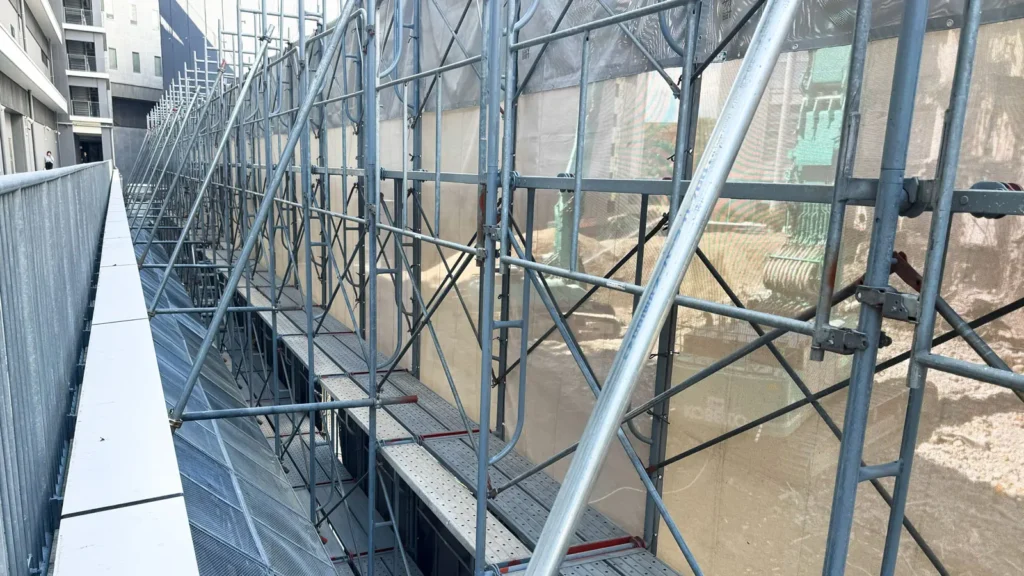
13. Recheck Constructability After Significant Changes
A drawing that was constructible before a revision is not automatically constructible afterward.
A change can introduce a new conflict with:
- the building;
- access routes;
- openings;
- equipment;
- working areas;
- adjacent structures;
- scaffold components.
The revised arrangement should therefore be reconsidered from a practical construction perspective when the change is significant.
This is especially important when a revision has been made to solve one specific problem. Solving one issue can unintentionally create another elsewhere.
14. Common Scaffold Drawing Revision Failures
1. Designing from an Obsolete Source Drawing
An old PDF or CAD file remains in use after newer information has been issued.
2. Assuming Two Versions Are Identical
Files appear to represent the same project but contain different geometry or details.
3. Revising Only One Drawing View
The plan changes while the elevation or section continues showing the previous arrangement.
4. Changing the Scaffold System Without Reviewing Details
The overall geometry appears similar, but component names, product references or other system-specific details may differ.
5. Updating the Drawing but Not Related Documents
Calculations, notes or material information continue to describe the previous design.
6. Failing to Communicate the Revision
The latest drawing exists, but someone continues working from the previous version.
7. Treating CAD Conversion as Verification
An old or uncertain source drawing is recreated accurately in CAD without first establishing whether the source information itself is current.
Most of these failures are not caused by difficult CAD operations. They are caused by information inconsistency.
15. A Practical Scaffold Drawing Revision Review
Without prescribing a project-specific document control procedure, a useful review can be organized around several questions.
Before the Revision
- What is the current source information?
- Are multiple versions available?
- Is their revision status clear?
- Has the design basis changed?
During the Revision
Identify what the change affects, including:
- geometry;
- components;
- dimensions;
- notes;
- plan;
- elevation;
- section;
- details;
- loads and supporting information.
After the Revision
- Does the plan agree with the elevation?
- Does the elevation agree with the section?
- Do relevant details represent the revised arrangement?
- Has the change affected loading or structural assumptions?
- Are related documents still consistent?
- Is the current revision clearly identifiable?
Before Issue
REVISION CHECK: Could someone reasonably pick up an older drawing and believe it is still current?
If the answer is yes, the revision process is not yet complete.
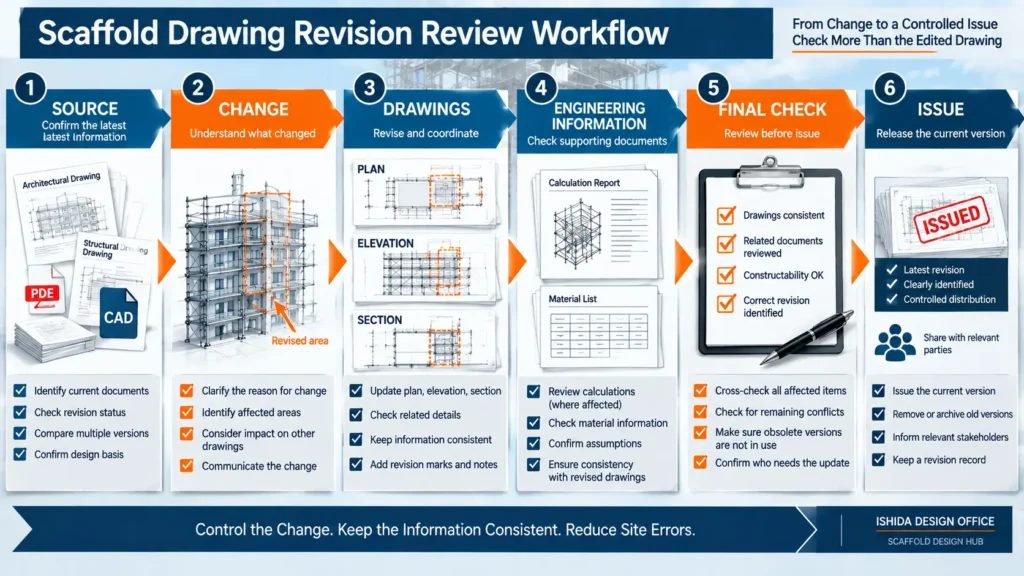
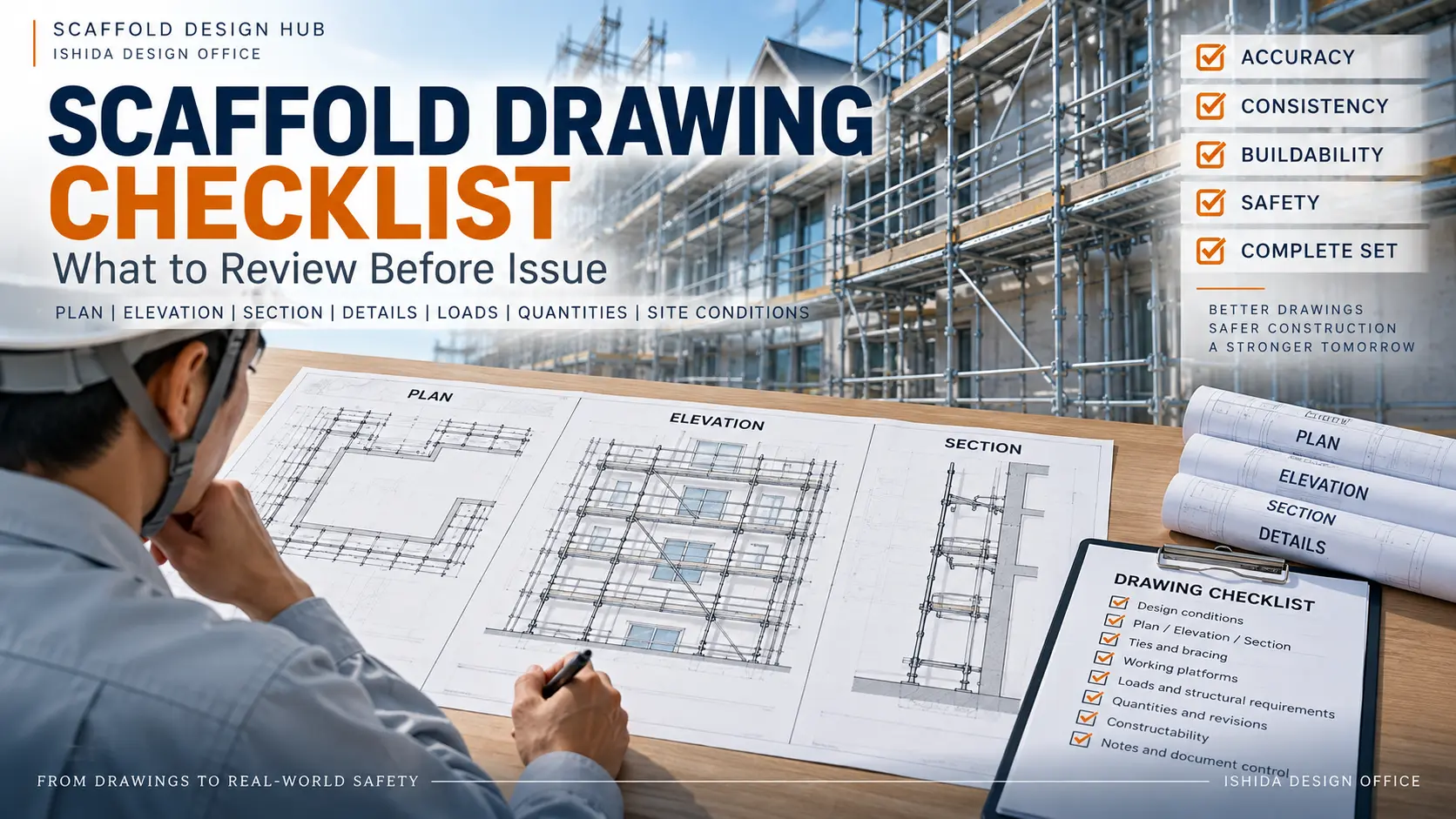
16. Scaffold Drawing Revision Checklist
Before issuing a revised scaffold drawing, confirm the following:
- ☑ The current source information has been identified.
- ☑ Older and newer source documents have been compared where necessary.
- ☑ The reason for the revision is understood.
- ☑ The current revision is clearly identifiable.
- ☑ The revision date has been recorded.
- ☑ The changed information has been identified.
- ☑ Plan, elevation and section remain consistent.
- ☑ Relevant details have been reviewed.
- ☑ Component information remains correct.
- ☑ Manufacturer or scaffold-system changes have been considered.
- ☑ Loading implications have been considered where relevant.
- ☑ Related calculations or supporting documents have been reviewed where affected.
- ☑ Constructability has been reconsidered where the change affects the arrangement.
- ☑ Obsolete information is unlikely to be mistaken for the current issue.
- ☑ The people who need the revised information can identify the latest version.
A checklist cannot replace engineering judgment. Its purpose is to reduce the chance that an important relationship is overlooked during a revision.
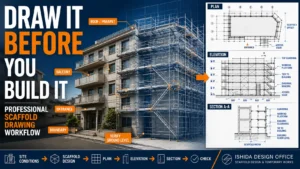
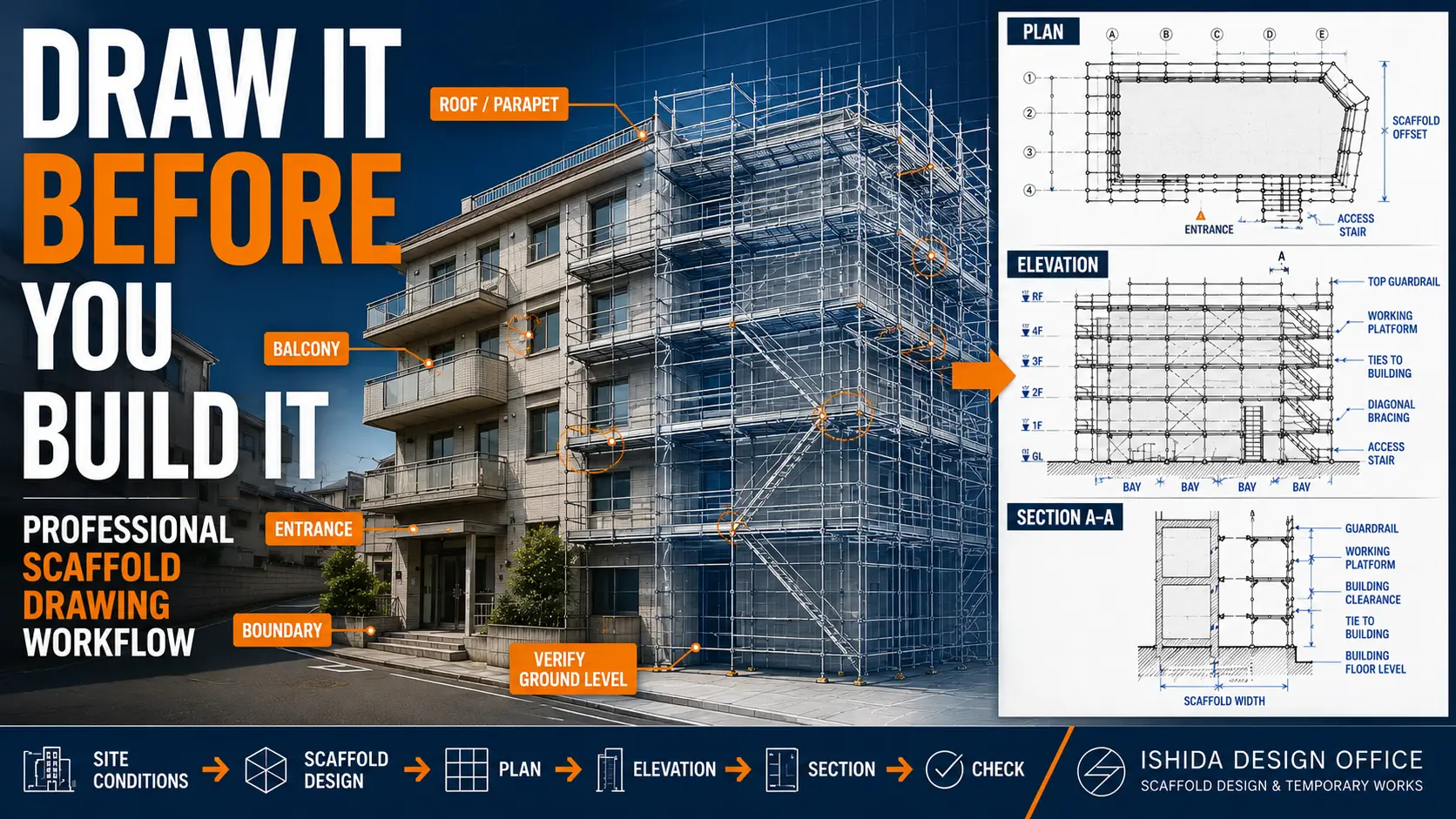
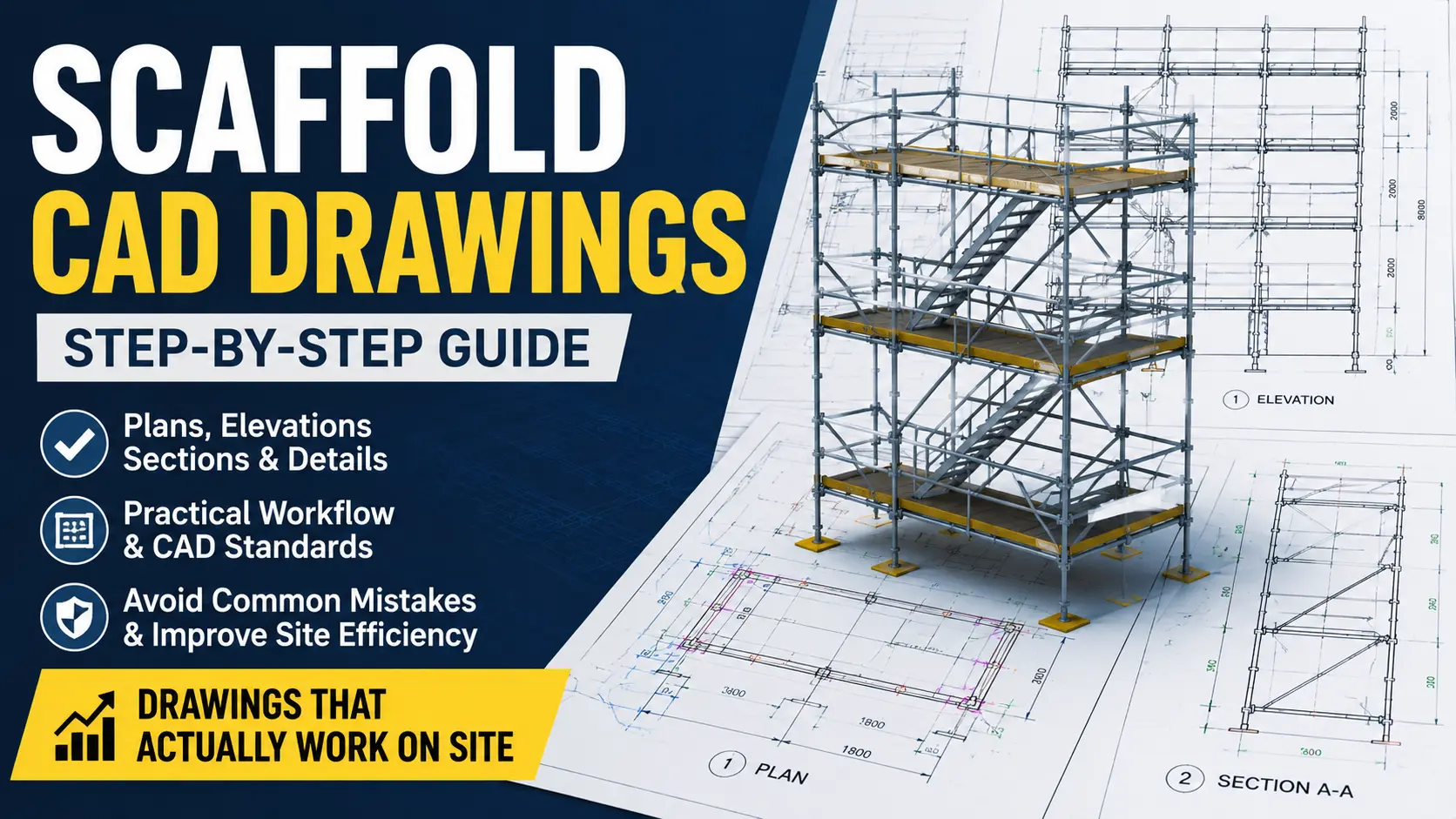
For the broader drawing-development process before revisions become necessary, see How to Create a Scaffold Drawing: Step-by-Step Design Workflow.
FAQ
What Is Scaffold Drawing Revision Control?
Revision control is the process of identifying, recording and managing drawing changes so that users can distinguish the current design from superseded information and check whether related drawings or documents are affected.
Why Can Old Scaffold Drawings Cause Problems?
An older drawing may contain previous dimensions, component information, layouts or design assumptions. Problems can occur when different people unknowingly work from different revisions.
Should Plan, Elevation and Section Be Checked After a Revision?
Yes, when the change can affect more than one view. They represent the same scaffold, so a change shown in one view may require corresponding changes elsewhere.
Does Changing the Scaffold Manufacturer Require a Drawing Review?
Potentially yes. Even when the overall arrangement appears similar, component names, product references, dimensions, capacities or system-specific information may differ depending on the scaffold system and manufacturer documentation.
Is a Revision Cloud Enough for Revision Control?
No. It helps identify changed areas but does not establish whether everyone is using the correct current drawing or whether related information has also been reviewed.
When Should Calculations Be Reviewed After a Drawing Revision?
They should be reviewed when the revision may affect the configuration, loading, support conditions, structural components or assumptions represented in the supporting engineering information.
Related Topics
Scaffold Plan vs Elevation vs Section: What Each Drawing Shows — Understand how the main drawing views should remain coordinated.
How to Create a Scaffold Drawing: Step-by-Step Design Workflow — Review the overall drawing-development process that comes before revision control.

Key Takeaways
- A technically correct revision can still create problems if older information remains in use.
- Never assume that a CAD file, PDF or professionally redrawn document is current simply because it looks authoritative.
- A revision should be checked for its effect on plan, elevation, section, details and relevant supporting information.
- Changes to scaffold systems or manufacturers can affect more than the overall scaffold geometry.
- Revision clouds identify changes but do not replace document and version control.
- The objective is to maintain one clearly identifiable current design.
Conclusion
The most important part of scaffold drawing revision management is not simply editing the drawing correctly.
It is maintaining one consistent design across the information used by designers, contractors and site personnel.
When a change occurs, identify the correct source information, record the revision clearly, check its effect across related drawings and technical information, and make sure obsolete information cannot easily be mistaken for the current issue.
One project should have one clearly identifiable current design.
Official References
No external regulatory, numerical or manufacturer-specific reference was required for the claims made in this article.
Last Verified: September 2026
Regulations, official guidance and manufacturer documentation may change. Always confirm the current requirements applicable to the project location, scaffold system and intended use.
This article is general technical information and is not a substitute for project-specific engineering, applicable law, contract documents, project specifications, manufacturer instructions or competent professional review.
About the Author
ISHIDA DESIGN OFFICE brings more than 30 years of practical experience in Japan, specializing in scaffolding design, temporary works planning, CAD drafting, quantity estimation, and construction support.
Drawing on experience from residential, commercial, and industrial projects, he shares practical insights that emphasize not only sound engineering design but also buildability, safety, and real-world jobsite application.
At Scaffold Design Hub, he combines practical experience from Japan with official guidance and technical resources from government agencies, manufacturers, and industry organizations around the world to provide reliable, practical information for construction professionals.
To learn more, visit the About page. For questions or project inquiries, please use the Contact page. You can also return to the Scaffold Design Hub homepage to explore more practical scaffolding design resources.