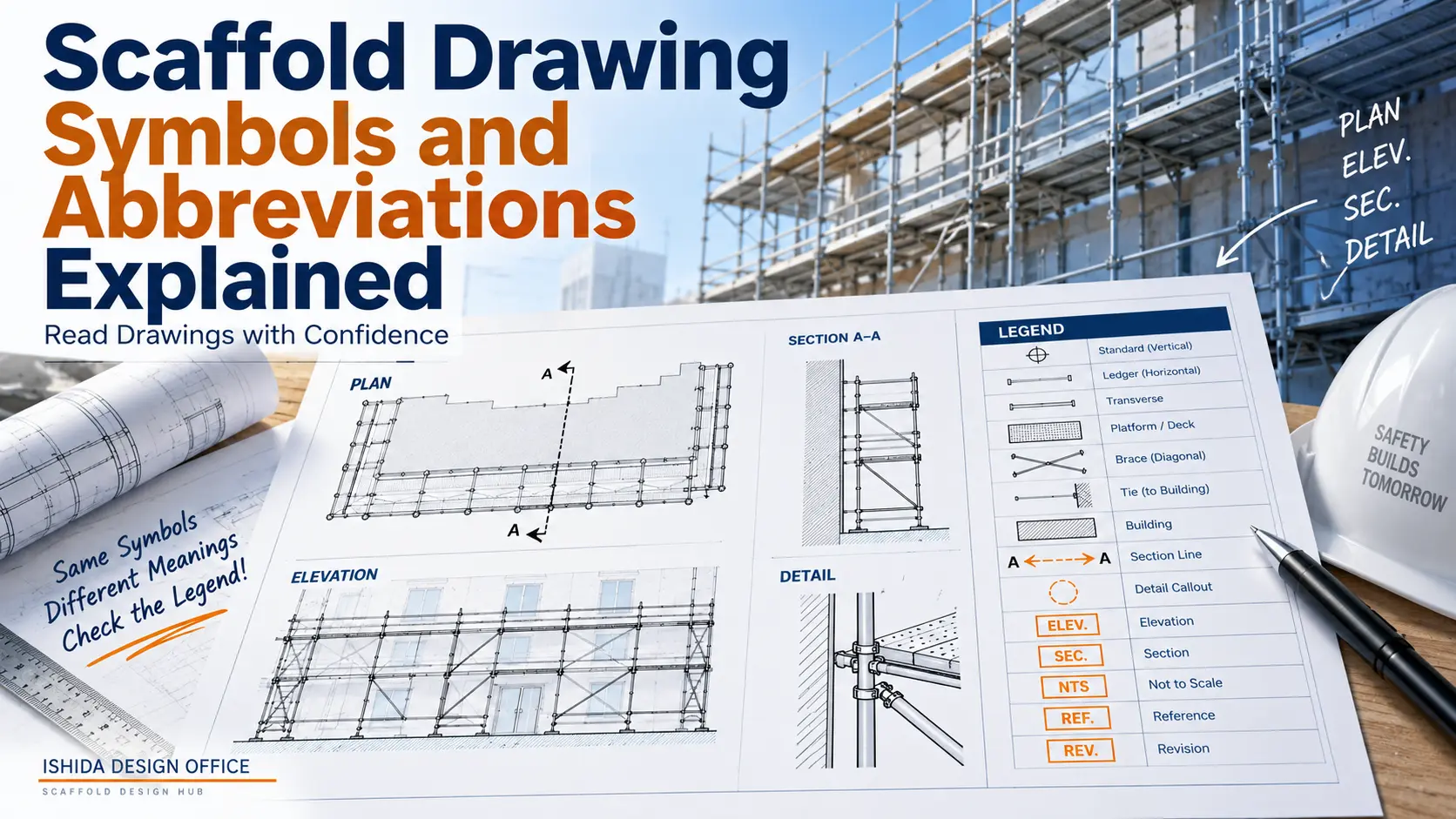
Scaffold drawing symbols and abbreviations help communicate a large amount of technical information within a limited drawing area. They may identify views, components, dimensions, levels, details, revisions and special conditions without requiring a full written explanation every time.
But there is an important limitation:
Not every scaffold drawing uses the same symbols or abbreviations.
Company standards, CAD conventions, scaffold systems, manufacturers, project requirements and regional drawing practices can differ.
For that reason, the objective should not be to memorise a supposedly universal dictionary of scaffold symbols. The more useful skill is learning how to identify a symbol, confirm its meaning and understand how it relates to the rest of the drawing.
In scaffold design work since 1998, one principle has remained particularly important to me: a drawing should be understandable from the reader’s point of view.
A drawing that only its creator can understand has failed at one of its most basic functions—communication.
Why Scaffold Drawing Symbols Matter
A scaffold drawing often has to communicate information about:
- scaffold geometry;
- bay arrangement;
- working levels;
- access;
- ties;
- bracing;
- edge protection;
- openings;
- building interfaces;
- special details;
- dimensions;
- revisions; and
- references to other drawings or documents.
Writing every instruction in full would make many drawings unnecessarily crowded.
Symbols, abbreviations and graphical conventions allow information to be communicated more efficiently.
However, efficiency only exists when the reader understands the notation.
An abbreviation that saves the designer five seconds but forces the supervisor, estimator or scaffolder to guess its meaning has not improved the drawing.
The purpose of drawing notation is communication, not complexity.
Are Scaffold Drawing Symbols Universal?
No.
Some drawing conventions are widely recognised across engineering and construction, but you should not assume that every abbreviation or graphical symbol has one universal meaning on every scaffold drawing.
Terminology may change between:
- countries;
- companies;
- design offices;
- scaffold manufacturers;
- scaffold systems;
- clients;
- projects; and
- CAD standards.
Even familiar terminology should be interpreted in the context of the drawing package.
For example, a project may establish its own abbreviations through a drawing legend or general notes. A manufacturer may use specific product names or product references that differ from the terminology used by another scaffold system.
DO NOT ASSUME: If the drawing provides a legend, key, general notes or abbreviation schedule, use them rather than guessing the meaning of an unfamiliar symbol.
As a jurisdiction-specific example, New York City Department of Buildings scaffold submission guidance specifies that the drawing legend should include symbols, abbreviations, notes and definitions. This is a New York City-specific example rather than a universal scaffold requirement, but it illustrates why a clear drawing legend is an important communication tool.
Start with the Drawing Legend
A drawing legend, sometimes called a key, explains graphical information used on that particular drawing or drawing set.
Depending on the project, it may identify:
- component symbols;
- line types;
- tie symbols;
- bracing indications;
- platform indications;
- access symbols;
- section markers;
- detail references;
- abbreviations;
- colour coding; or
- other project-specific notation.
The legend should be treated as part of the technical information—not as decoration around the edge of the drawing.
If the legend defines a symbol, that definition is more useful than assuming the symbol means what it meant on a different project.
This becomes particularly important when working across different companies or scaffold systems.
Common Types of Symbols and Abbreviations
It is useful to divide drawing notation into categories rather than attempting to memorise a long alphabetical list.
Drawing and View References
Several terms describe the type of information being shown.
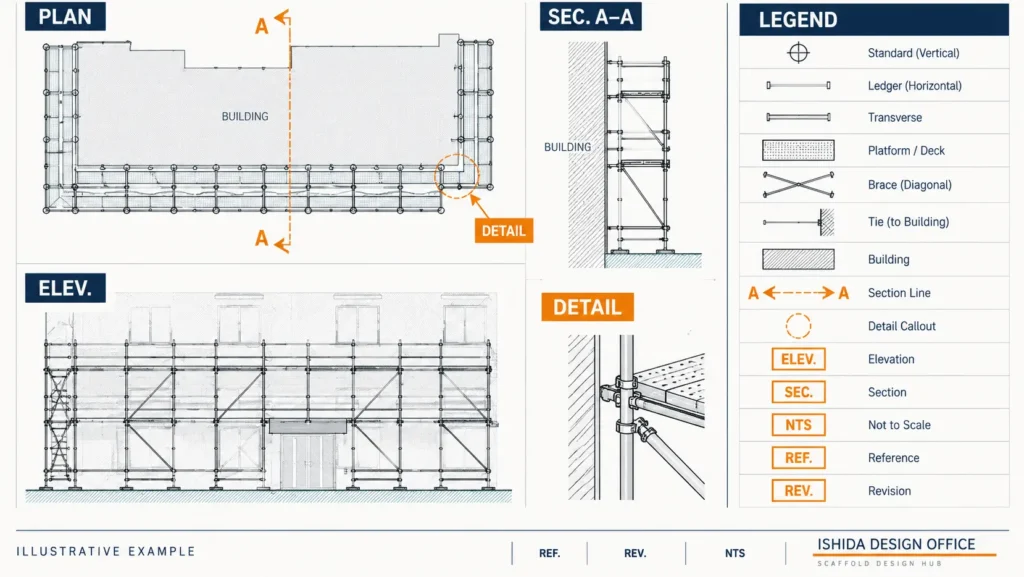
| Term | Possible Meaning | What It Tells You |
|---|---|---|
| PLAN | Plan | Horizontal view of the scaffold arrangement |
| ELEV. | Elevation | Vertical view of one face or direction |
| SEC. | Section | Cut-through view showing vertical relationships |
| DETAIL | Detail | Enlarged or specific information about one area |
| GA | General Arrangement | Overall arrangement drawing or drawing set |
These terms are not necessarily scaffold-specific. They are part of broader technical drawing practice.
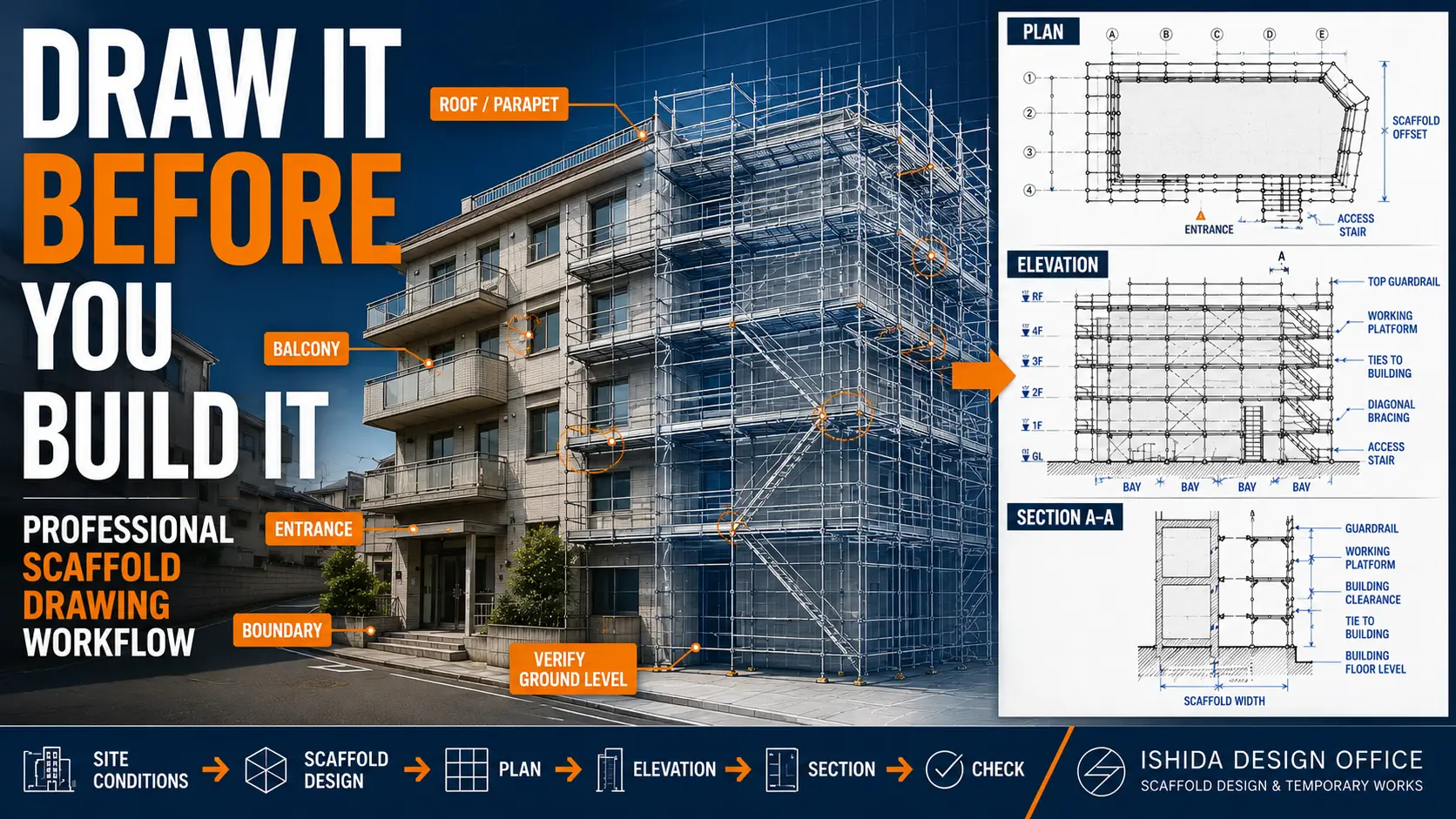
A scaffold GA may combine plans, elevations, sections, dimensions, notes and references to details.
The important point is not simply knowing what “SEC.” means. You must also follow the section reference to the correct view.
General Drawing Abbreviations
You may encounter abbreviations such as:
| Abbreviation | Common Interpretation | Caution |
|---|---|---|
| NTS | Not to Scale | Do not obtain dimensions by scaling the drawing |
| TYP. | Typical | Confirm exactly where the typical condition applies |
| CL | Centre Line / Centerline | Meaning should be confirmed from context |
| Ø | Diameter | Common engineering notation |
| @ | At / spacing indication | Interpret with the associated dimension or note |
| EQ | Equal | Confirm what is intended to be equal |
| REF. | Reference | Usually directs the reader to related information |
These are common technical-drawing conventions, not a universal scaffold-specific abbreviation system.
Project documentation takes priority.
Scaffold Component Identification
Scaffold drawings may identify components such as:
- standards;
- ledgers;
- transoms;
- braces;
- ties;
- decks or boards;
- working platforms;
- guardrails;
- toe boards;
- base plates;
- adjustable bases;
- brackets;
- stairs;
- ladders; and
- special structural components.
However, this is where a simple abbreviation dictionary becomes unreliable.
One company may write a component name in full. Another may use an abbreviation. A scaffold-system drawing may use a manufacturer-specific product reference instead.
For that reason, this article deliberately does not present a universal abbreviation for every scaffold component.
If a project uses a component abbreviation, it should be identifiable from the drawing legend, notes, material schedule, specification or relevant manufacturer documentation.

Dimensions, Levels and Spacing
Symbols and abbreviations are only one part of drawing communication.
Dimensions provide the geometry that gives those symbols meaning.
A scaffold drawing may show:
- bay length;
- scaffold width;
- distance from the building;
- lift height;
- overall scaffold height;
- opening dimensions;
- bracket projections;
- platform levels; and
- offsets from building features.
Level notation may also be used, but level abbreviations and datum conventions vary between drawing systems and projects.
Do not assume a level reference means the same thing on every drawing.
Always identify the project datum and associated notes where relevant.
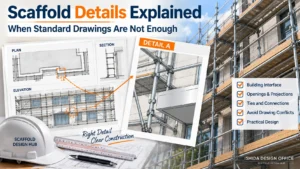
Sections, Details and Callouts
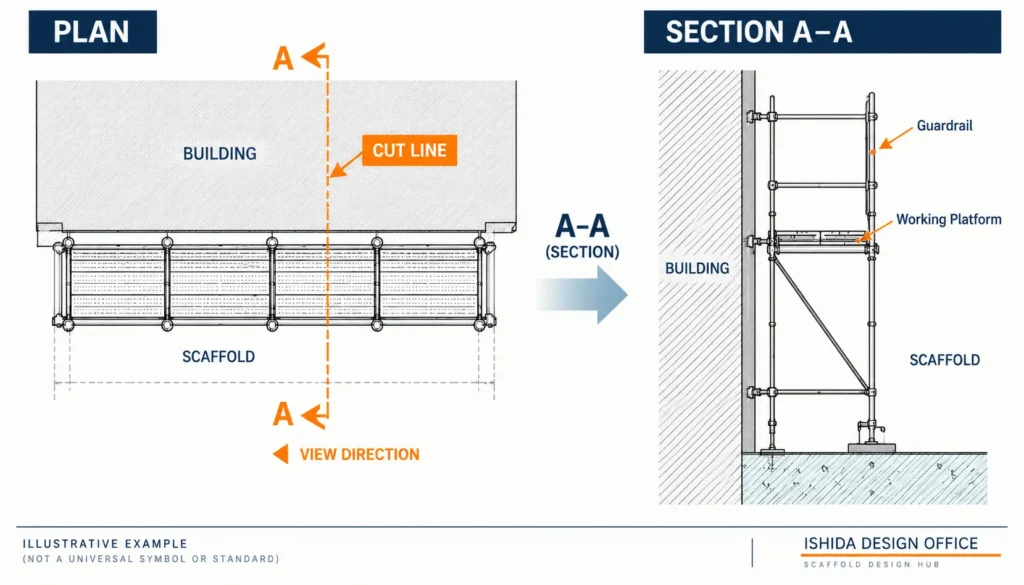
A plan cannot show every vertical relationship clearly.
A section marker therefore directs the reader to a cut-through view.
A typical marker might identify something such as:
A–A
with an arrow or other directional indication.
The corresponding section should then show the condition viewed through that cutting line.
Detail callouts work in a similar way. A detail reference may direct the reader to:
- another location on the same sheet;
- another drawing sheet; or
- a separate detail drawing.
Do not read the symbol without following the reference.
A small circle or section marker on a plan may contain very little information by itself. Its value comes from the drawing to which it directs you.
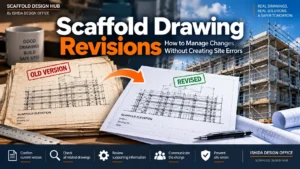
Revision and Drawing Status Information
Not every important symbol represents a scaffold component.
Revision information can be just as important.
Drawings may contain:
- revision clouds;
- revision triangles or markers;
- revision letters or numbers;
- drawing-status information;
- issue dates; and
- revision descriptions.
A perfectly understood scaffold symbol on the wrong revision can still lead the reader to the wrong information.
REVISION CHECK: Before relying on individual details, confirm that you are using the applicable drawing and revision for the project.
Scaffold Drawing Symbols Quick Reference
The following table should be treated as a reading aid, not a universal standard.
| Symbol / Term | Often Used For | Reader Should Check |
|---|---|---|
| PLAN | Horizontal arrangement | Orientation, dimensions, building outline |
| ELEV. | Vertical arrangement | Bays, lifts, levels, ties, bracing |
| SEC. | Cut-through view | Width, clearances, vertical relationships |
| DETAIL | Enlarged condition | Exact location and reference |
| GA | General Arrangement | Drawing scope and related views |
| A–A / B–B | Section reference | Cutting location and viewing direction |
| NTS | Not to Scale | Written dimensions rather than scaling |
| TYP. | Typical condition | Where the condition applies |
| CL | Centre line / centerline | Context and legend |
| Ø | Diameter | Associated dimension |
| @ | Spacing / at | Associated note or dimension |
| REF. | Reference | Referenced drawing, detail or document |
| REV. | Revision | Current applicable drawing issue |
This table is intentionally conservative.
It is better to provide a shorter list of useful notation with clear limitations than to create a large list that encourages readers to assume every abbreviation is universal.
Manufacturer Part Numbers and Product Identification
Scaffold drawings become more complex when a particular scaffold system or manufacturer is specified.
In my own drawing work, I place importance on accurately identifying the manufacturer and relevant product information where it is necessary for the drawing.
Consistency matters.
If one component is identified one way on the plan, another way in a detail and differently again in a material reference, the reader may reasonably wonder whether those descriptions refer to the same component.
Product identification should therefore remain consistent across the relevant drawing information.
This does not mean that every scaffold drawing must display every manufacturer part number.
The appropriate level of identification depends on the project, scaffold system, drawing purpose and documentation requirements.
Where manufacturer-specific components are involved, always check the current manufacturer’s documentation rather than assuming that a familiar-looking component is interchangeable with another system.

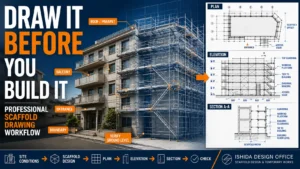
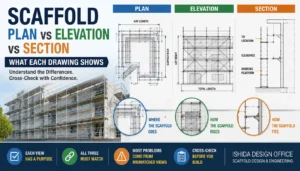
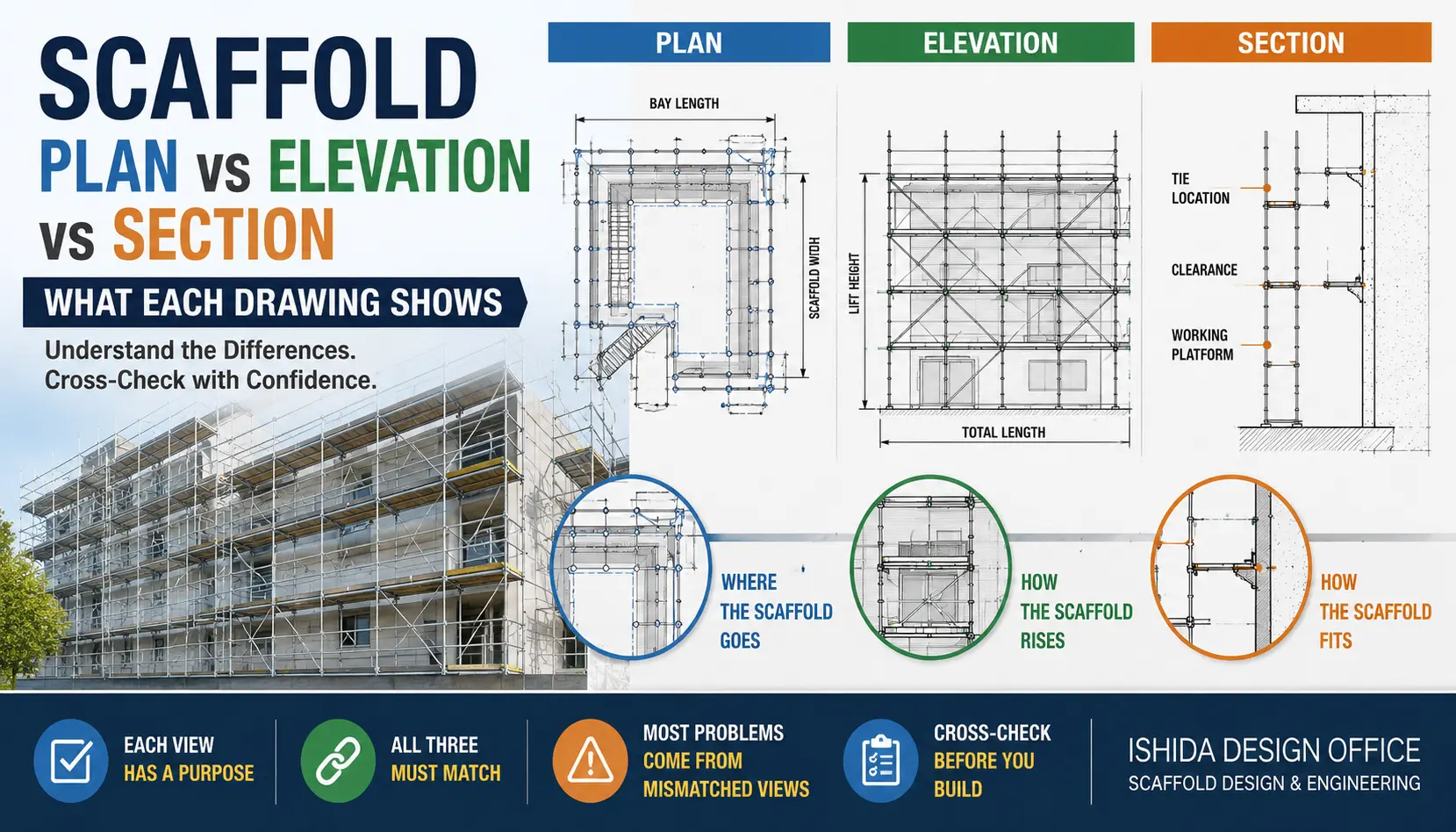
How Symbols Work Across Plan, Elevation, Section and Detail
A scaffold symbol should rarely be interpreted in complete isolation.
Imagine that a plan identifies a special condition beside a building entrance.
The plan may show where the condition occurs.
The elevation may show how high it extends.

A section may show how the scaffold relates to the building.
A detail may explain a particular local arrangement.
These are not four competing drawings.
They are four pieces of the same communication system.
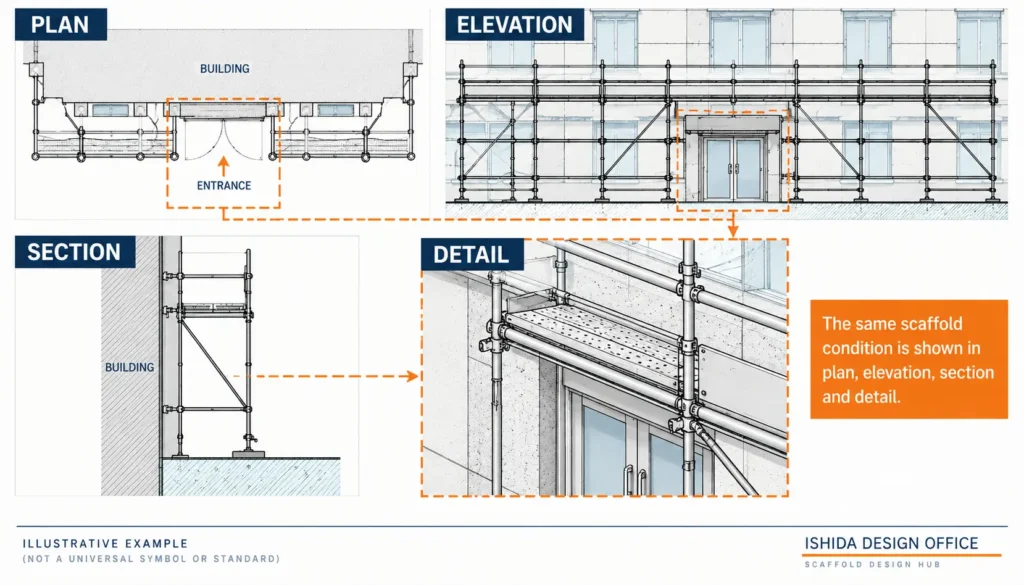
This is why experienced drawing review requires more than recognising individual symbols.
In practice, I compare the plan, elevations, sections and details to understand whether the information communicates a consistent arrangement.
For a full explanation of how these views differ, see Scaffold Plan vs Elevation vs Section: What Each Drawing Shows.
Why More Symbols Do Not Always Make a Better Drawing
One of the most important lessons from practical drawing work is that more information does not automatically create a better drawing.
A drawing containing many lines, notes, dimensions and symbols can look technically impressive at first glance.
It can also be extremely difficult to read.
Unnecessary information competes visually with important information.
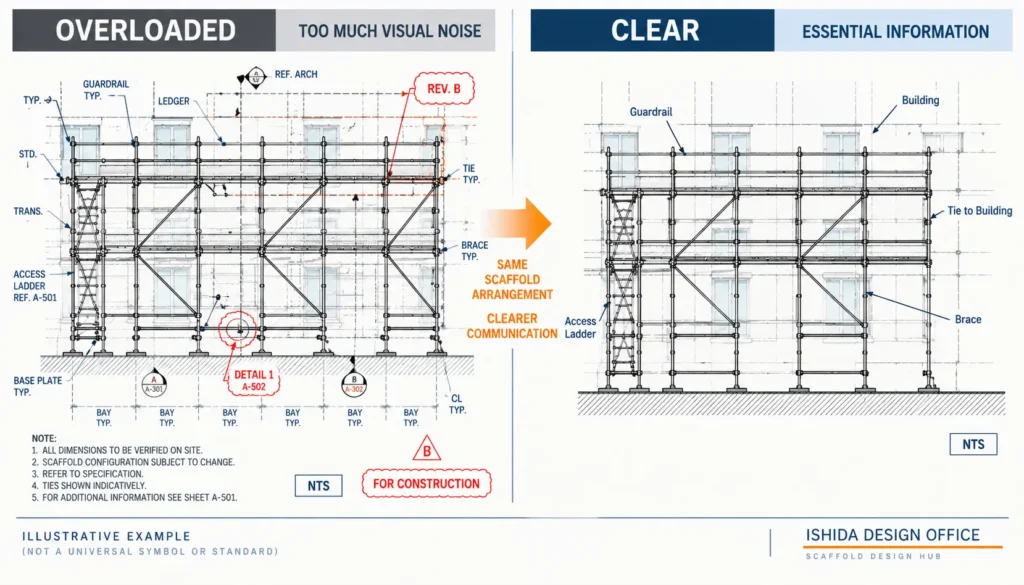
The reader then has to search through the drawing to determine:
- which lines belong to the building;
- which belong to the scaffold;
- which dimensions matter;
- which notes apply;
- which symbols require action; and
- which information is merely background.
Good technical communication therefore requires judgement about what should be shown clearly—not simply how much can be placed on the sheet.
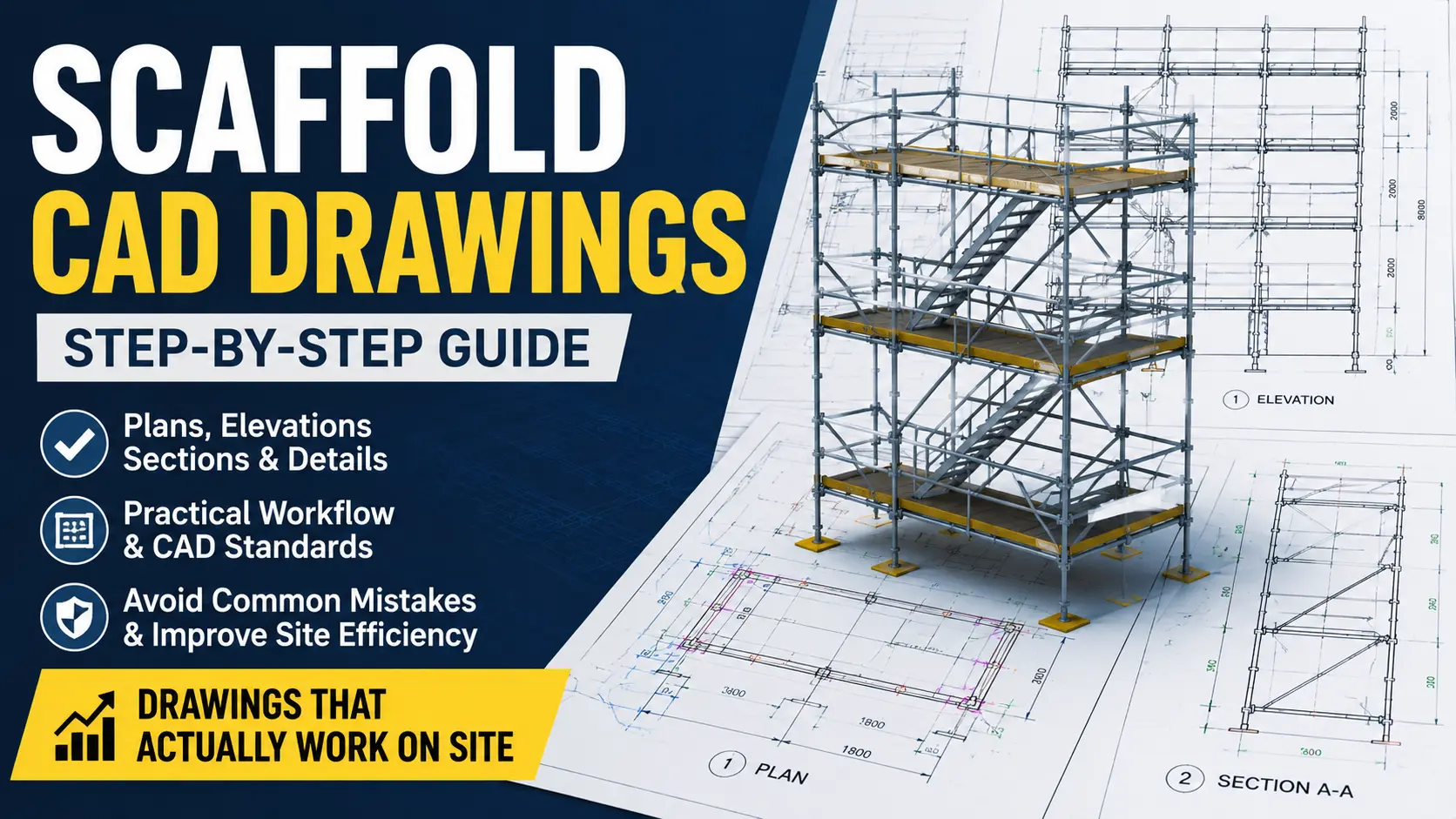
This principle also applies to CAD drawings. Excessive company-specific abbreviations without explanation can make a technically detailed drawing harder for other people to use. The existing Scaffold Design Hub guide to scaffold CAD drawings similarly recommends explaining project-specific symbols through a legend and maintaining consistent drawing conventions.
When an Abbreviation Should Not Be Used
An abbreviation has value when it makes communication faster without reducing clarity.
If it creates uncertainty, writing the term more clearly may be the better option.
In my own work, I generally avoid unnecessary abbreviations and prefer consistent expressions that are understandable to the people reading the drawing.
When an abbreviation is useful, I consider a simple question:
Will the person receiving this drawing understand it?
That is more important than whether the abbreviation saves a small amount of drawing space.
This becomes particularly relevant when drawings move between:
- designer and client;
- scaffold contractor and main contractor;
- design office and site;
- estimator and designer; or
- different companies with different internal terminology.
A private abbreviation known only inside one drafting team may be efficient internally but ineffective once the drawing leaves that team.
Common Mistakes When Reading Scaffold Symbols
1. Assuming Every Symbol Is Universal
Mistake: Recognising a familiar symbol and immediately assigning a meaning.
Why it matters: Another project may use the symbol differently.
Better approach: Check the legend, notes and drawing context.
2. Guessing an Unfamiliar Abbreviation
Mistake: Expanding an abbreviation based on what seems most likely.
Why it matters: A plausible interpretation can still be wrong.
Better approach: Find its definition or request clarification.
3. Reading Only One View
Mistake: Trying to understand the entire scaffold from the plan alone.
Why it matters: Height, clearance and local conditions may only become clear in elevations, sections or details.
Better approach: Cross-check related views.
4. Ignoring the Detail Reference
Mistake: Seeing a detail callout but continuing to interpret the general arrangement without opening the referenced detail.
Why it matters: The detail may intentionally modify or clarify the general condition.
Better approach: Follow the reference before making a conclusion.
5. Treating Manufacturer References as Generic Names
Mistake: Assuming a manufacturer-specific reference is simply another name for a generic component.
Why it matters: Product systems, geometry and specifications can differ.
Better approach: Verify the product against current manufacturer information.
6. Adding Abbreviations Because They Look Technical
This is primarily a drafting problem.
A drawing is not improved by making it harder to understand.
Use abbreviations because they improve communication—not because they make the drawing appear more sophisticated.
7. Overloading the Drawing
A sheet can contain all the technically relevant information and still communicate poorly if the information hierarchy is unclear.
Remove unnecessary visual noise while retaining the information required to understand, construct, review or coordinate the intended scaffold arrangement.
A Practical Method for Interpreting an Unfamiliar Symbol
When you encounter an unfamiliar symbol or abbreviation, do not begin by guessing its meaning.
Instead, ask:
- Is it defined in the legend or key?
- Is it explained in the general notes?
- Does the same symbol appear elsewhere on the drawing?
- Is there a section or detail reference connected to it?
- Does the material or component schedule clarify it?
- Is it manufacturer-specific?
- Does another drawing in the package define it?
- If it remains unclear, who should clarify it?
The final step is important.
Unclear technical information should be clarified rather than invented.
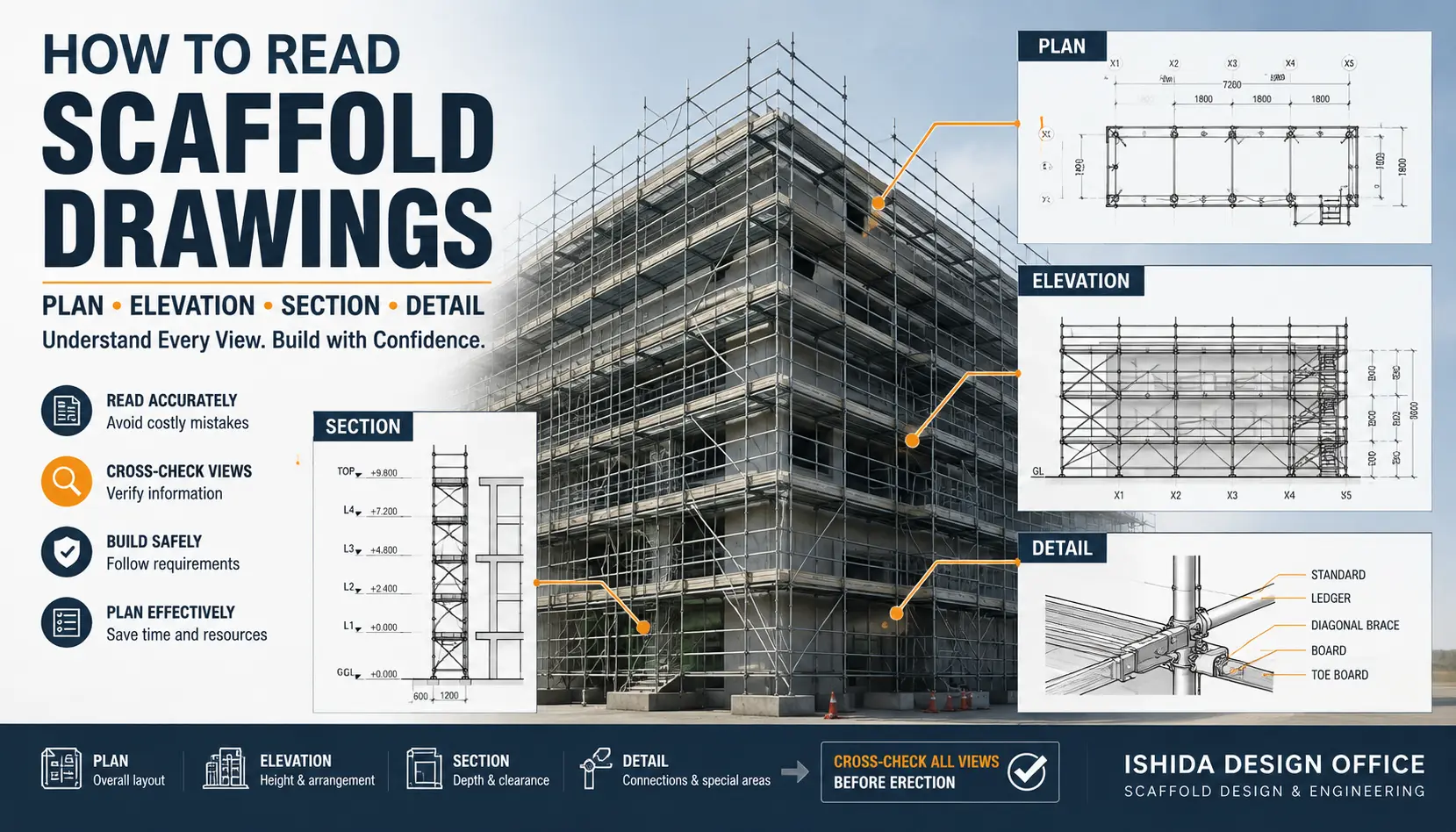
The broader Scaffold Design Hub guide, How to Read Scaffold Drawings: Plan, Elevation, Section & Details, also explains how the different drawing views work together and why technically important information should not be guessed.
Japanese Practice Note
ISHIDA DESIGN OFFICE has been involved in scaffold and temporary-works design in Japan since 1998.
One practical principle developed through that work is to think about the drawing from the client’s and reader’s perspective.
The person creating a drawing already knows what they intended to communicate. That familiarity can hide ambiguity.
A useful review question is therefore:
“Is this drawing clear to someone other than the person who created it?”
This is particularly relevant to symbols and abbreviations. A notation may seem obvious to the designer because they use it every day, while a client, estimator, supervisor or another designer may interpret it differently.
For that reason, I place more value on consistency and clarity than on using large numbers of abbreviations.
This is a practical design perspective rather than a universal Japanese standard. Drawing requirements and terminology differ by jurisdiction, project, client, scaffold system and manufacturer. Applicable regulations, project documentation and current manufacturer information should always be checked.
Practical Scaffold Drawing Symbol Review Checklist
Before relying on symbols and abbreviations in a scaffold drawing, check the following.
Drawing Identification
- ☐ Correct drawing title
- ☐ Correct drawing number
- ☐ Applicable revision
- ☐ Drawing status understood
Legend and Notation
- ☐ Drawing legend checked
- ☐ Unfamiliar symbols identified
- ☐ Abbreviations defined or understood
- ☐ Project-specific notation identified
- ☐ Manufacturer-specific references recognised
Drawing Coordination
- ☐ Plan references checked
- ☐ Elevation references checked
- ☐ Section markers followed
- ☐ Detail callouts followed
- ☐ Related views are consistent
Scaffold Information
- ☐ Scaffold and building lines can be distinguished
- ☐ Important dimensions are clear
- ☐ Levels are understandable
- ☐ Tie information is identifiable where applicable
- ☐ Bracing information is identifiable where applicable
- ☐ Access information is understandable
- ☐ Working-platform information is understandable
Communication Quality
- ☐ Important information is not hidden by unnecessary lines
- ☐ Abbreviations improve rather than reduce clarity
- ☐ Terminology is used consistently
- ☐ Product identification is consistent where required
- ☐ A reader unfamiliar with the drafting conventions can understand the necessary information
- ☐ Unclear technical information has been identified for clarification
FAQ
Are scaffold drawing symbols the same worldwide?
No. Some general engineering-drawing conventions are widely recognised, but scaffold notation can vary between countries, companies, manufacturers, scaffold systems and individual projects. Always check the drawing legend, notes and project documentation.
What should I do if a scaffold drawing abbreviation is not in the legend?
Check the notes, related drawings, details, schedules and relevant manufacturer documentation. If the meaning remains technically important and unclear, obtain clarification rather than guessing.
What is a scaffold drawing legend?
A drawing legend or key explains symbols, line types, abbreviations and other notation used on a drawing or drawing set. Its exact content depends on the project.
What does GA mean on a scaffold drawing?
GA commonly means General Arrangement. A scaffold GA drawing typically communicates the overall intended arrangement and may include or reference plans, elevations, sections and details. Confirm the terminology used by the particular project.
Should scaffold designers use abbreviations whenever possible?
No. Abbreviations are useful when they make drawings easier to read. If an abbreviation is unnecessary or likely to confuse the intended reader, a clear written description may communicate the information better.
Is knowing the symbols enough to understand a scaffold drawing?
No. Symbols need to be interpreted together with dimensions, notes, plan views, elevations, sections, details, revisions and applicable project information.
Related Topics
- How to Read Scaffold Drawings: Plan, Elevation, Section & Details — Parent topic for the overall scaffold drawing-reading process.
- Scaffold Plan vs Elevation vs Section: What Each Drawing Shows — Explains how the main drawing views differ and work together.
- How to Create a Scaffold Drawing: Step-by-Step Design Workflow — Moves from interpreting drawings to creating coordinated scaffold drawings.
- How to Create Scaffold CAD Drawings That Actually Work on Site — Extends drawing clarity and consistency principles into CAD production.

Key Takeaways
- Scaffold symbols and abbreviations are communication tools, not a universal language.
- Always use the drawing legend, notes and project context before assigning meaning to unfamiliar notation.
- Plans, elevations, sections and details should be read together.
- Manufacturer-specific product information should not automatically be treated as generic terminology.
- More lines, notes and abbreviations do not automatically produce a better drawing.
- Use abbreviations only when they improve clarity for the intended reader.
- A good scaffold drawing should be understandable by people other than the person who created it.
Conclusion
Understanding scaffold drawing symbols is not mainly about memorising abbreviations.
The more important skill is knowing where to confirm their meaning and how to connect them with the rest of the drawing.
Check the legend. Follow section and detail references. Compare related views. Verify manufacturer-specific information where applicable. And when an important symbol remains unclear, clarify it rather than guessing.
For the next step, see Scaffold Plan vs Elevation vs Section: What Each Drawing Shows to understand how the different drawing views work together.
Official References
New York City Department of Buildings — Design Professional Requirements: Scaffold
Jurisdiction: New York City, USA. Used as a jurisdiction-specific example of scaffold submission guidance covering drawing legends, symbols, abbreviations, notes and definitions.
Last Verified: September 2026
Regulations, official guidance and manufacturer documentation may change. Always confirm the current requirements applicable to the project location, scaffold system and intended use.
This article is general technical information and is not a substitute for project-specific engineering, applicable law, contract documents, project specifications, manufacturer instructions or competent professional review.
About the Author
ISHIDA DESIGN OFFICE brings more than 30 years of practical experience in Japan, specializing in scaffolding design, temporary works planning, CAD drafting, quantity estimation, and construction support.
Drawing on experience from residential, commercial, and industrial projects, he shares practical insights that emphasize not only sound engineering design but also buildability, safety, and real-world jobsite application.
At Scaffold Design Hub, he combines practical experience from Japan with official guidance and technical resources from government agencies, manufacturers, and industry organizations around the world to provide reliable, practical information for construction professionals.
To learn more, visit the About page. For questions or project inquiries, please use the Contact page.